Dead Click Detection

WordPress Dead Click Detection — Find UX errors from inactive clicks

Detect clicks on non-interactive elements — see where users click on images, text and divs they think are clickable, directly in WordPress.

14-day money-back · Cancel anytime · GDPR-compliant · Local in WordPress
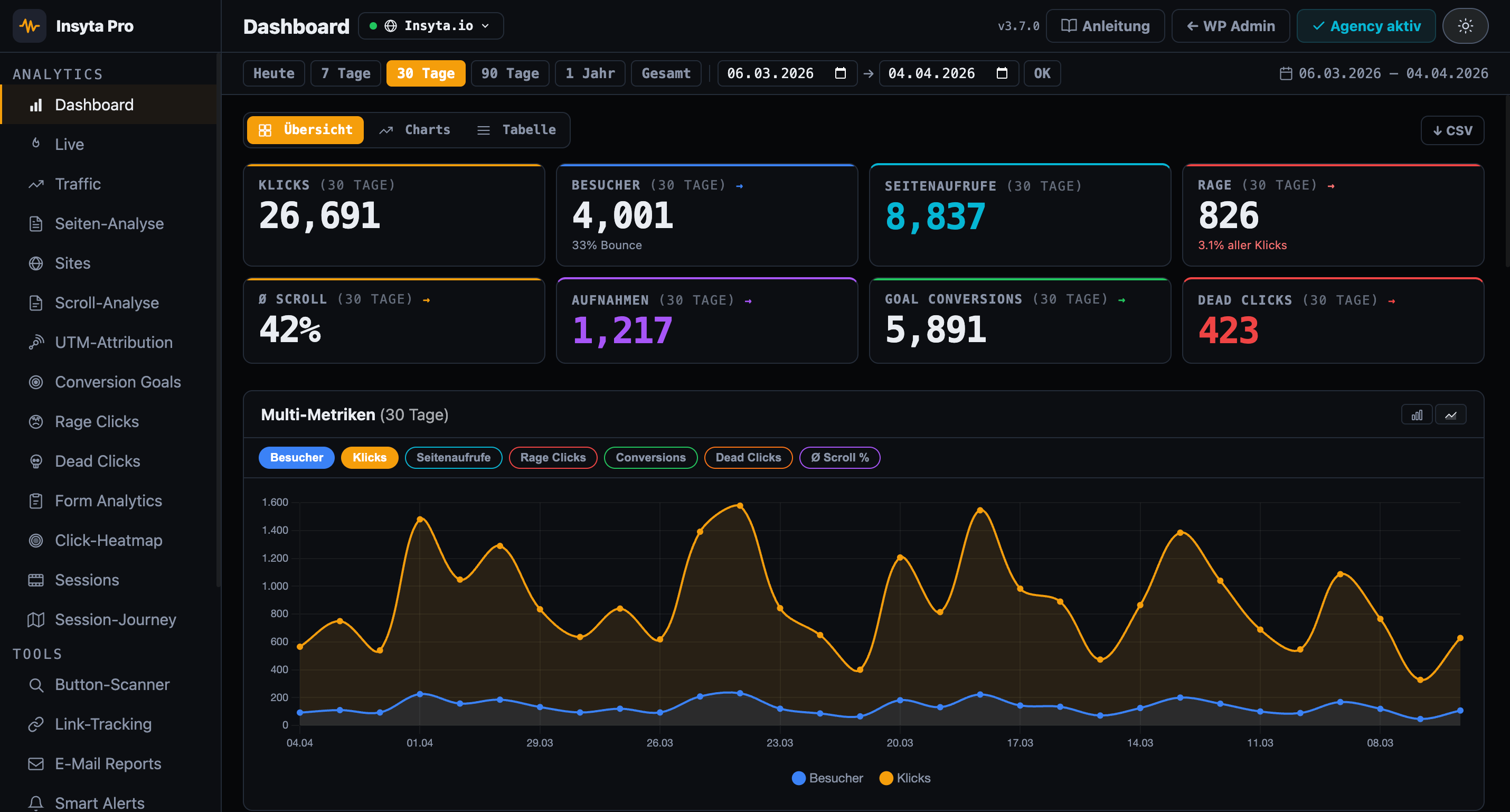
Insyta Pro WordPress Analytics Dashboard
100%
Local in WordPress
from 6 €/mo
Cancel anytime
0
External servers
29+
Pro features included

WordPress Dead Click Detection Plugin

A dead click detection plugin detects clicks on non-interactive elements — no link, no button, no JavaScript handler behind them. Users click because they think the element is clickable but receive no feedback. A clear sign of UX problems or broken elements.

Insyta Pro vs. Google Analytics / Hotjar

Why Insyta Pro?

Google Analytics lacks behavior analytics. Hotjar costs 39 €/month. Insyta Pro starts at 6 €/month — 100% local, GDPR-compliant.

Feature Insyta Pro Hotjar GA4+GTM MS Clarity
Click tracking ✓ complex
Click heatmap ✓ Canvas overlay ✓ from 39 €+/mo ✓ US servers
Scroll tracking ✓ + Scroll Map
Session recordings ✓ local ✓ from 39 €+/mo ✓ US servers
Session journey ✓ local
Real-time dashboard ✓ Live counter + sessions ✓ but complex
Rage click detection
Dead click detection
Form analytics partial
Conversion goals partial ✓ complex
A/B test tracker
UTM attribution
Traffic analytics
Page analytics (per URL)
Dwell time per scroll zone
Email reports
Smart alerts
Link & CTA tracking partial ✓ complex
Button scanner
Multi-site dashboard ✓ Agency
White-Label Addon ✓ Agency
Self-hosted (your server) ✓ 100% ✗ Microsoft cloud
GDPR compliant / cookieless ⚠ limited ⚠ limited ⚠ Microsoft data sharing
No data to third parties
WordPress-native
Price from 6 €/mo from 39 €/mo Free + setup work Free*
Features

What you get with Insyta Pro

Dead Click Erkennung

Clicks on non-interactive elements are automatically detected and logged

Top-Elemente-Tabelle

All dead elements sorted by click count — worst first

Element-Pfad

CSS selector path shows exactly which element is affected

Device-Segmentierung

See dead clicks separately by desktop and mobile

Session-Verknüpfung

Connect dead clicks to session recordings for full context

DSGVO-konform

All data stays local in your WordPress database

White-Label Addon ADDON

Custom branding, logo & colors for the plugin dashboard. Available separately for Agency licenses.

Perfect for

Who benefits

Shop-Betreiber

Find product images, badges and texts that customers click but have no link behind them.

CRO-Spezialisten

Dead clicks near CTAs show where users are clicking the wrong spot.

Entwickler

Detect broken event handlers, removed buttons and elements with cursor:pointer but no interactivity.

UX-Designer

Identify design elements that look like links — underlines, colors, icons without function.

Agenturen

Deliver clients dead click reports as part of the UX audit and show where the page improved.

SEO-Experten

Poor UX from dead clicks = higher bounce rate = worse ranking. Fix it.

Pricing

Subscribe monthly or pay once.

FLASH SALE — --:--:--
Agency Lifetime — 499 € 99 €
All Agency features, unlimited sites, no further costs. Launch period only.
Get Lifetime
Monthly Yearly 3 months free
STARTER
Starter
6
/month
cancel monthly · 1 WordPress site
54
/year
1 site · 3 months free
  • 1 WordPress site
  • Click tracking & log
  • Real-time Dashboard
  • Scroll depth analysis
  • Click-Heatmap
  • UTM Attribution
  • Conversion goals
  • CSV Export
  • Email support
  • Dead click detection
  • Form analytics
  • Traffic analytics
  • Page analytics (per URL)
  • Session recordings
  • A/B test tracker
  • Email reports
  • White-Label
  • Multi-site dashboard
Buy now

Cancel anytime

AGENCY & FREELANCER
Agency
24
/month
cancel monthly · unlimited sites
216
/year
∞ sites · 3 months free
  • Unlimited WordPress sites
  • Multi-site central dashboard
  • Per-site detailed analytics
  • Branded email reports
  • Smart Alerts (Email + Slack) NEW
  • Priority Support
  • Session Recordings
  • Session-Journey
  • A/B Test Tracker
  • Dead click detection
  • Form analytics
  • Traffic Analytics
  • E-Mail Reports
  • Link & CTA Tracking
  • GA4 / GTM Integration
  • Rage click detection
  • Dwell time per zone
  • + White-Label Addon
Buy now

Cancel anytime · 14-day money back

FAQ

Questions about the plugin & subscription

What is a Dead Click?
A dead click is a click on an element that is not interactive — no link, no button, no JavaScript handler. The user clicks because they think it is clickable but receives no feedback.
From which plan is it available?
Dead Click Detection is included in the Pro plan and above.
What are typical dead click elements?
Images without links, underlined or colored text that is not a link, div containers with cursor:pointer but no event handler, decorative icons that are not clickable.
Does it slow down the website?
No. Tracking runs in the background with minimal performance impact. No external server, no CDN, no third-party requests.

Detect dead clicks — and fix your UX

Dead click detection · Element path · Top elements table · Device segmentation · GDPR-compliant

14-day money-back guarantee · Lifetime updates · Support in English and German